




Create AI videos with 240+ avatars in 160+ languages.
Create engaging microlearning videos in 160+ languages
Microlearning videos usually start with a practical need: helping someone do something right now. They show up in onboarding, compliance refreshers, product updates, and frontline guidance.
As more teams rely on them, expectations rise quickly. The videos need to stay clear, easy to update, and consistent wherever people encounter them.
This guide walks through a five-step process for creating microlearning videos — how to define the objective, script the content, build scenes, reuse videos at scale, and measure impact over time.
Microlearning video templates you can customize
Dynamic microlearning lesson
This template works well when I want to explain a single concept quickly but still keep some energy in the flow. The pacing and layout make it easy to highlight key points and move learners through short, focused steps without overloading them.
Minimalistic microlearning video
I use this one when the goal is clarity rather than visual impact. The simple layout keeps attention on the message, which makes it a good fit for policy updates, process reminders, or short knowledge refreshers.
Vivid microlearning video
This template is better suited for internal campaigns or learning content where engagement really matters. The stronger colors and visual rhythm help grab attention in busy feeds and work well for quick tips, product updates, or short training announcements.
Green pixel microlearning
I like this template for sustainability topics, culture initiatives, and people-focused updates. The softer visual style feels friendly and approachable, which makes short learning moments feel less formal and easier to engage with.
Step 1: Start with a clear learning objective
Every microlearning video needs a clear learning objective. Because these videos are short, the objective sets the direction for the script, visuals, and pacing.
A strong objective focuses on a single outcome the learner should achieve after watching, such as:
- Completing a specific task
- Recognizing a common issue or exception
- Applying a rule or guideline in context
Keeping the objective narrow helps the video stay focused and easier to apply at work.
Clear objectives also make microlearning easier to scale. When each video is tied to a defined outcome, teams can reuse formats, update content without rework, and build consistent series over time.
💡Tip: Use the prompt below with an LLM to pressure-test your learning objective before moving on.
After watching a two-minute video on [topic], what should an employee do differently, and how would that show up in their day-to-day work?
Step 2: Write a short script for video
Microlearning videos work best when the script sounds natural, stays focused, and supports the outcome you defined.
For most workplace microlearning videos, that means keeping the total length under three minutes and writing for clear, conversational speech.
As you draft, keep a simple structure in mind:
- Briefly set context
- Explain the core idea or action
- Reinforce what matters most before the video ends
Short sentences work better when spoken, and narration should complement on-screen visuals rather than repeat them. Before moving on, read the script out loud. If it sounds clear and stays on point, it’s ready for production.
💡Tip: If you want help getting started, use Synthesia’s free AI Script Generator to create a first draft based on your learning objective.
Step 3: Build the video using scenes and templates
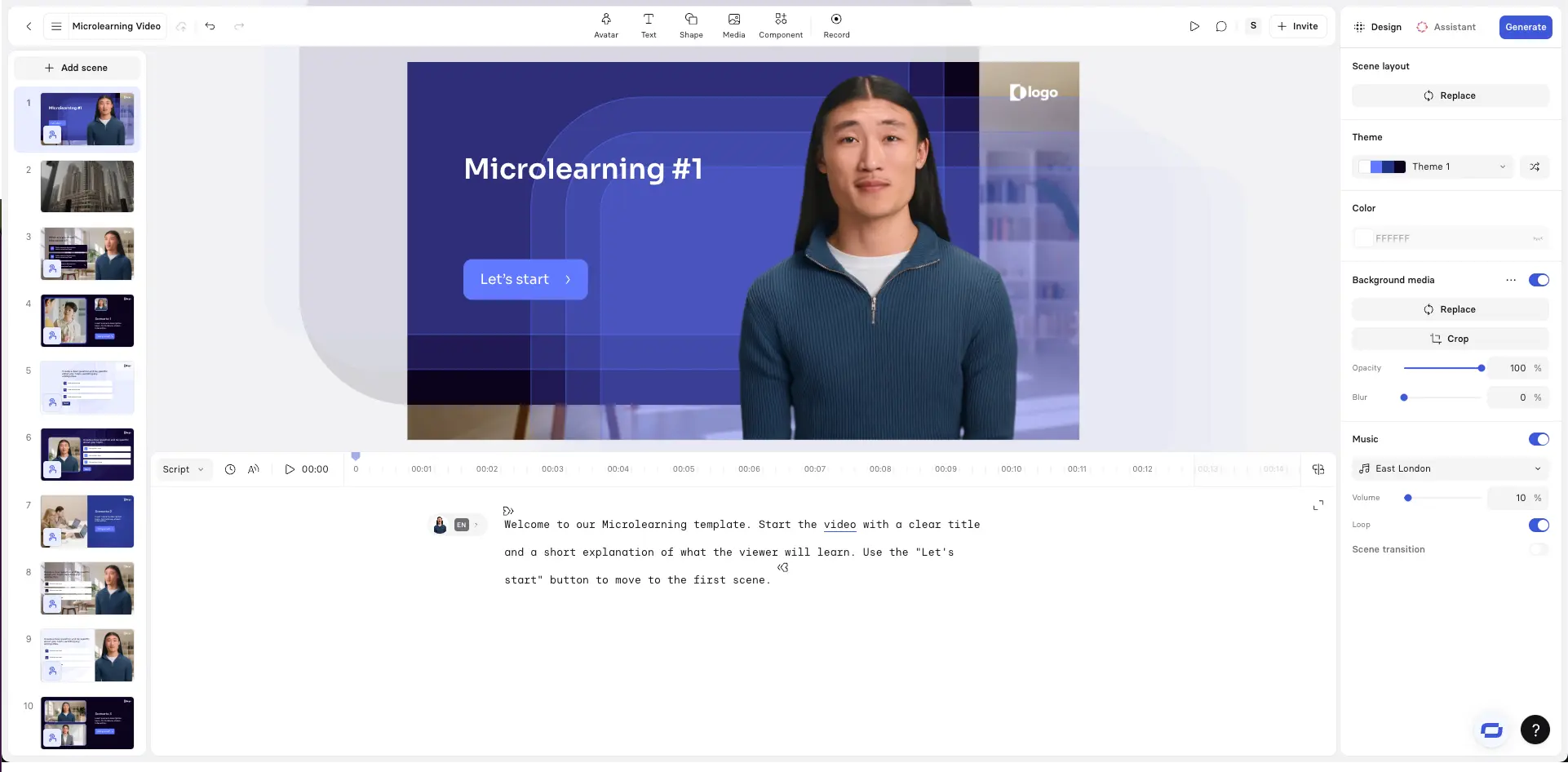
With the script ready, the next step is turning it into a short video built from clear, repeatable scenes.
We recommend leveraging a templates to reduce design effort and keep videos consistent.
As you build the video, think in scenes rather than slides. Each scene should support a small part of the script and move the learner closer to the objective. In practice, that means:
- Keeping on-screen text brief
- Using visuals to reinforce key points
- Letting narration do most of the explaining
Once the scenes are in place, watch the video end to end. It should feel focused, easy to follow, and consistent with other videos in the series.
A clear structure here makes the content easier to reuse, update, and scale later.
💡Tip: You can paste your script into Synthesia’s free AI Video Generator to quickly turn it into a first version of the video, then adjust scenes, visuals, and pacing as needed.
Step 4: Customize, localize, and reuse
Once the first version of the video is ready, the real value of microlearning comes from reuse. Short, scene-based videos are easier to adapt than long courses, which makes them practical to scale across teams and regions.
Start by identifying what needs to change and what should stay the same. In many cases, the structure, visuals, and pacing can remain consistent while small elements are adjusted for different audiences.
Common adaptations include:
- Updating terminology or examples for specific teams
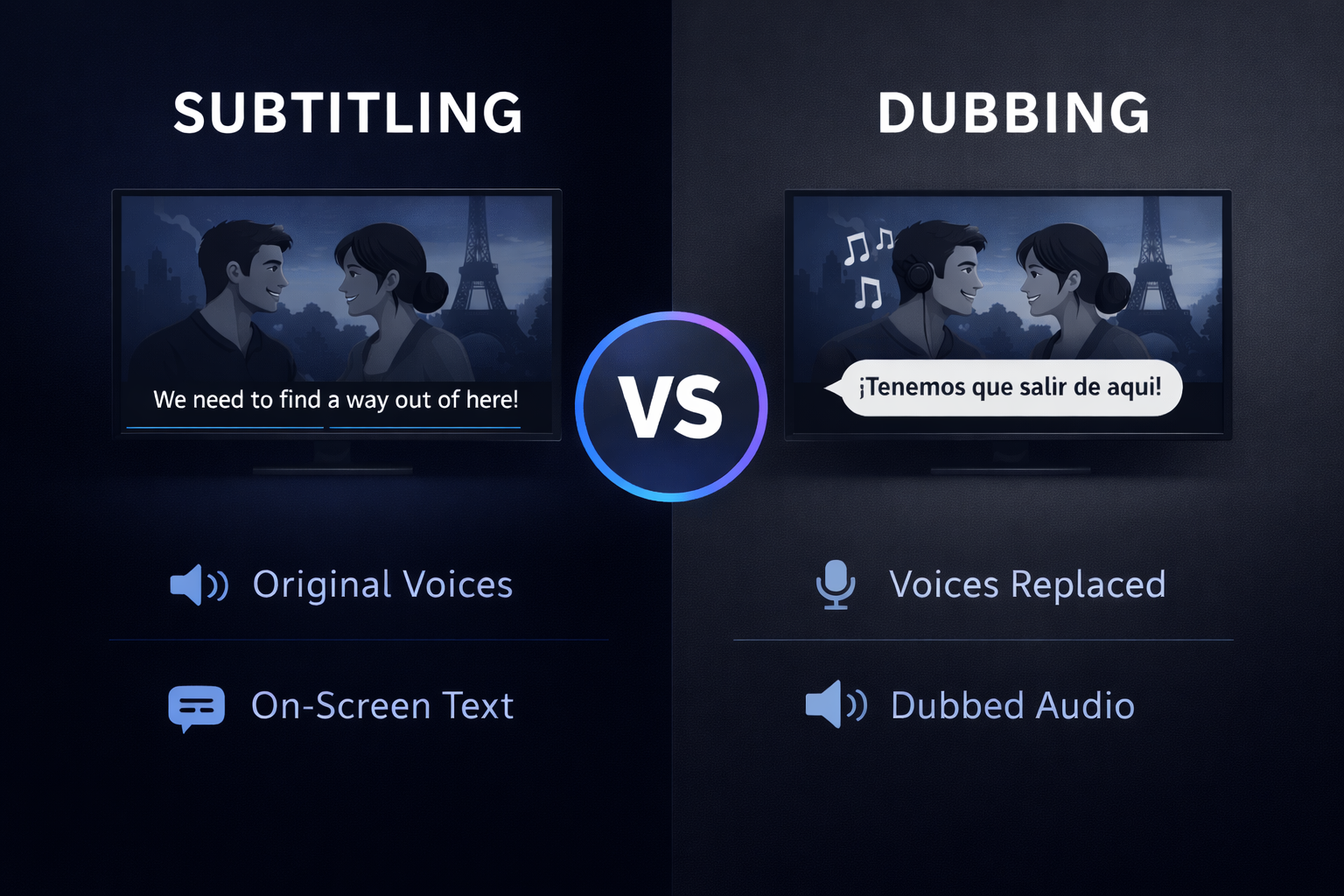
- Translating narration and on-screen text for different regions
- Swapping visuals to reflect local tools, products, or policies
Because videos are built from short scenes, updates can be made without rebuilding the entire asset. Over time, this makes it easier to keep learning content consistent and current as roles, processes, or regulations change.
💡Tip: In Synthesia, you can create your own enterprise templates.
Step 5: Publish, measure, and iterate
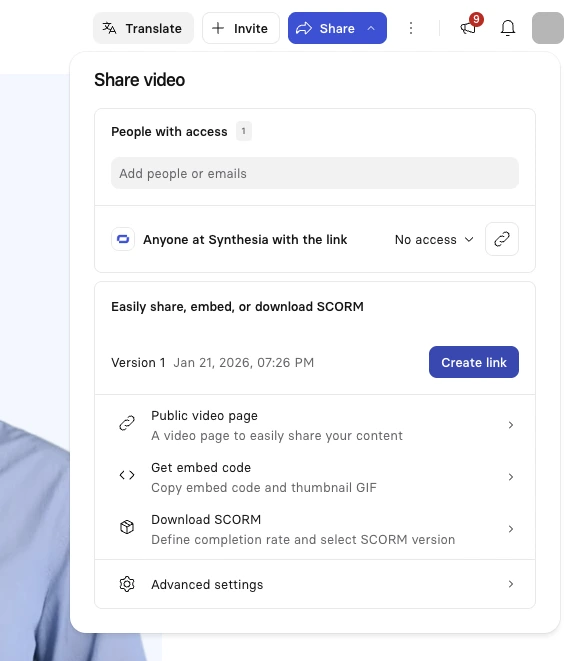
Once the video is ready, publish it where people will encounter it naturally as part of their work. That might be an LMS, a shared link, an internal knowledge base, or embedded directly in the tools teams already use.
Measurement helps teams understand whether microlearning videos are supporting real work, but metrics alone don’t tell the full story.
Useful indicators of impactful microlearnings may include:
- Faster onboarding or time to proficiency
- Fewer repeated questions or support requests
- Smoother adoption of new tools or processes
Microlearning videos are designed to improve over time. Because they’re short and modular, you can update a scene, clarify a step, or adjust the pacing based on feedback without rebuilding everything. Small refinements compound quickly when videos are reused across teams and moments of need.
Treat publishing as the beginning, not the end. Regular review and iteration help keep microlearning content accurate, relevant, and effective as work changes.
High completion rates are a useful signal, but they’re most valuable when interpreted in context. Consistently high completion can indicate that videos are short, clear, and easy to access. Pair that data with qualitative feedback or performance signals to understand whether the content is actually helping people do their work better.
Microlearning videos work best when they’re treated as a system rather than a one-off asset. Clear objectives, short scripts, scene-based design, and intentional distribution all make the content easier to maintain and reuse over time. When those foundations are in place, teams spend less time producing videos and more time supporting real work as it happens.
Why microlearning videos work for workplace training
People rarely have long, uninterrupted blocks of time to learn at work.
They rely on short bursts of guidance that fit into the flow of their day.
Video supports this especially well. By combining spoken explanation, visual cues, and pacing, it helps learners grasp context quickly when each video stays focused on a single objective.
That focus starts with the first design decision: defining what the learner should be able to do after watching.
About the author

Strategic Advisor
Kevin Alster
Kevin Alster is a Strategic Advisor at Synthesia, where he helps global enterprises apply generative AI to improve learning, communication, and organizational performance. His work focuses on translating emerging technology into practical business solutions that scale.He brings over a decade of experience in education, learning design, and media innovation, having developed enterprise programs for organizations such as General Assembly, The School of The New York Times, and Sotheby’s Institute of Art. Kevin combines creative thinking with structured problem-solving to help companies build the capabilities they need to adapt and grow.





How long should a microlearning video be?
Most effective microlearning videos are between 30 seconds and 3 minutes. What matters more than length is focus: each video should address a single learning objective and work on its own without additional explanation.
What makes microlearning videos effective at scale?
Microlearning videos work at scale when they’re consistent, modular, and easy to update. Teams that succeed standardize objectives, visual structure, and tone so content stays clear as it’s reused across roles, regions, and time.
How do you avoid repetition or overload in microlearning videos?
Effective microlearning videos minimize competing information. Teams focus on one idea per video, reduce on-screen text, and use visuals to support spoken explanations rather than repeat them.
Can microlearning videos be reused and localized across teams?
Yes. When microlearning videos are designed as reusable scenes with clear scripts, they can be updated, translated, and reused without rebuilding content from scratch.
How should teams measure the impact of microlearning videos?
Teams typically combine engagement metrics like completion and watch time with performance indicators such as faster onboarding, reduced errors, or improved confidence in key tasks.


